In this post, I would like to present an example of an EventStorming session. In one of my recent architecture trainings, I used the “Big Spender” iSAQB example exam task as a practical example to demonstrate how to modularize a system. Based on that example, we performed an EventStorming session following the approach outlined in Vlad Khononov’s book Learning Domain-Driven Design.
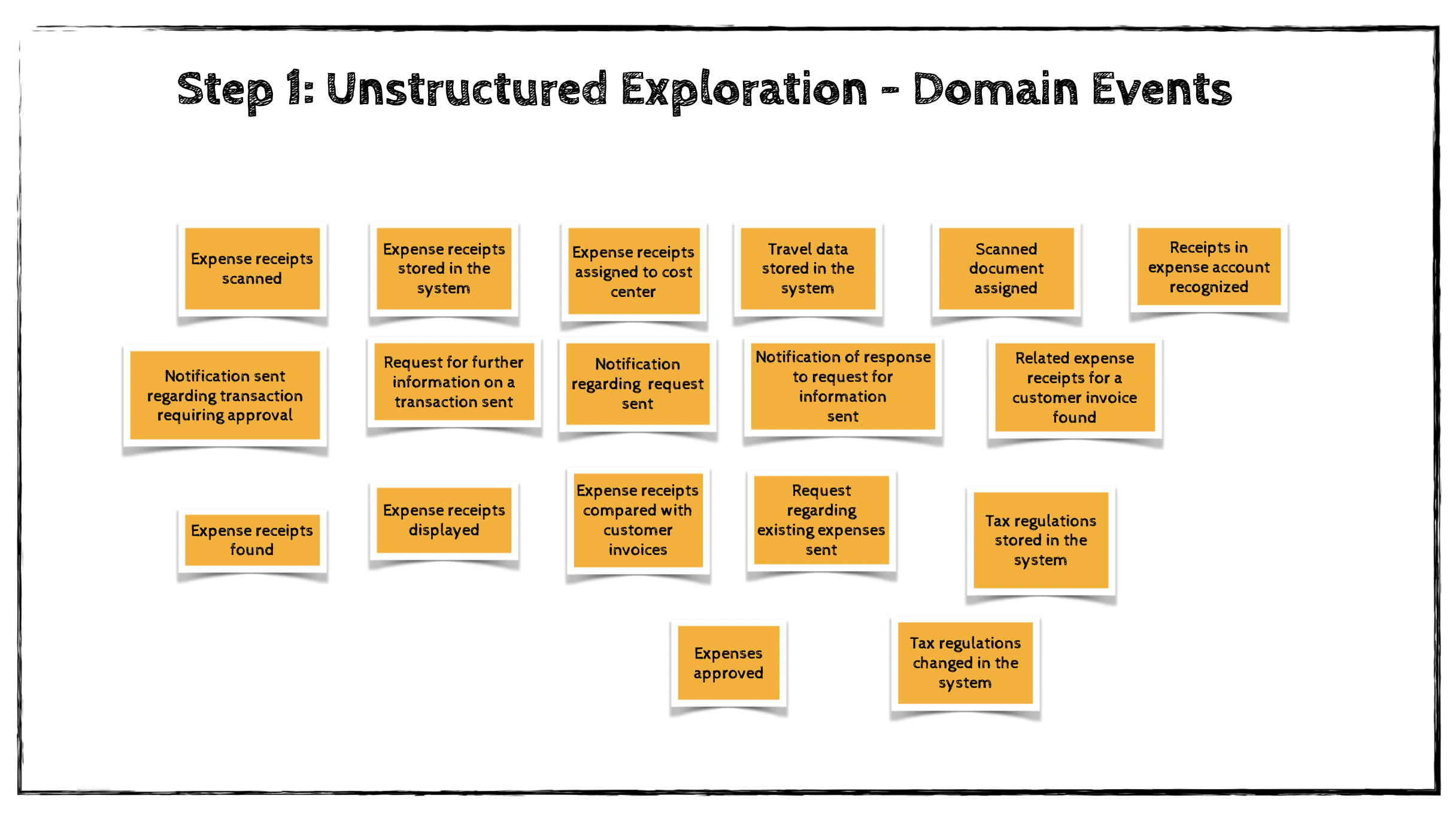
Step 1: Unstructured Exploration
EventStorming begins with an open brainstorming session in which participants identify domain events related to the business domain under investigation.
A domain event represents something significant that has happened in the business. It is important to phrase domain events in the past tense, because they describe facts that have already occurred.
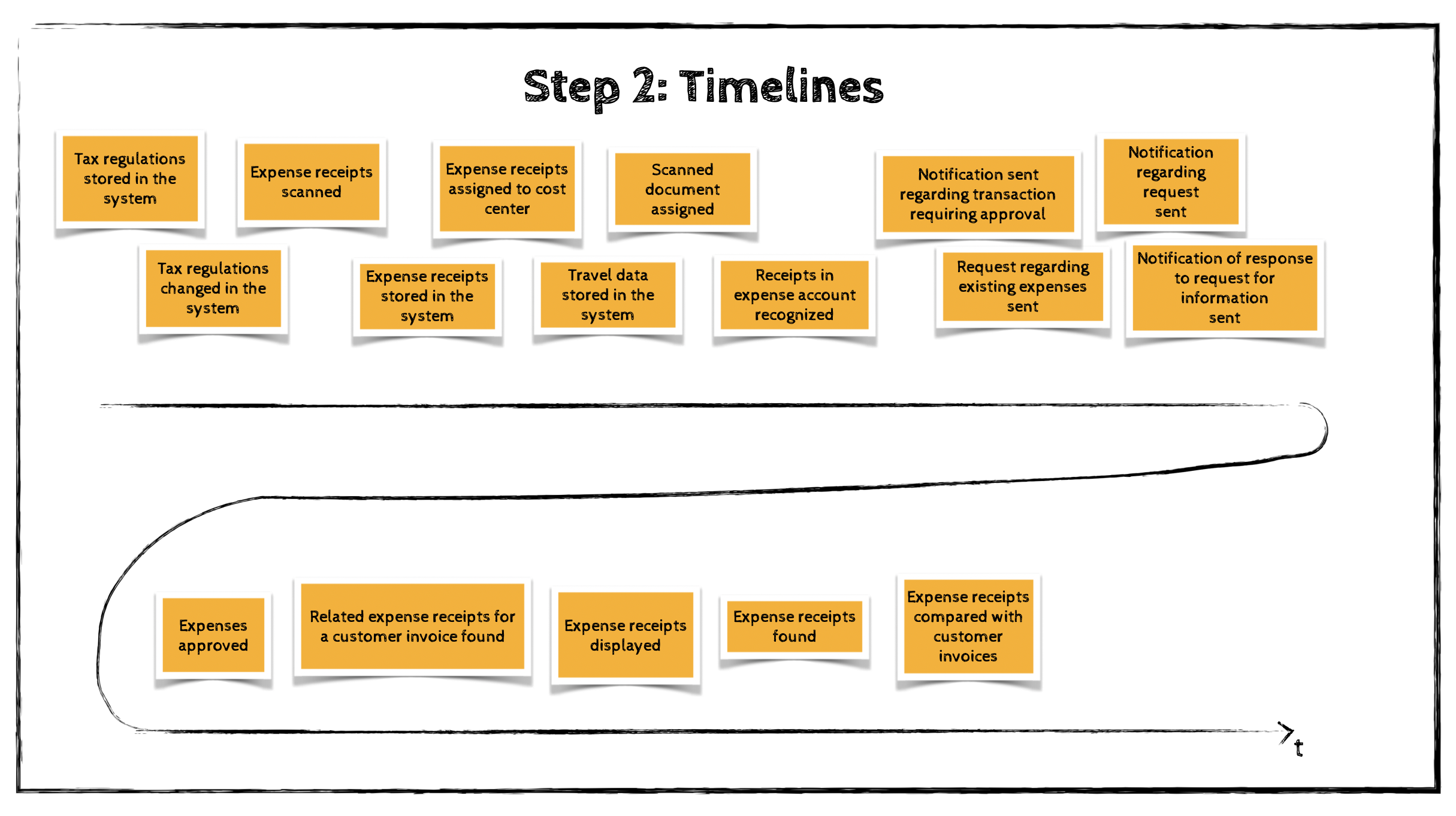
Step 2: Timelines
Next, the participants review all generated domain events and attempt to arrange them in chronological order—reflecting the sequence in which they naturally occur in the business domain.
The timeline should start with the “happy path” scenario: the flow that describes a successful business outcome.
Once the happy path is complete, the team can add alternative flows, such as scenarios where errors occur or different business decisions are made.
Branches in the process can be represented either by parallel sequences originating from the same preceding event or by arrows drawn on the modeling surface.
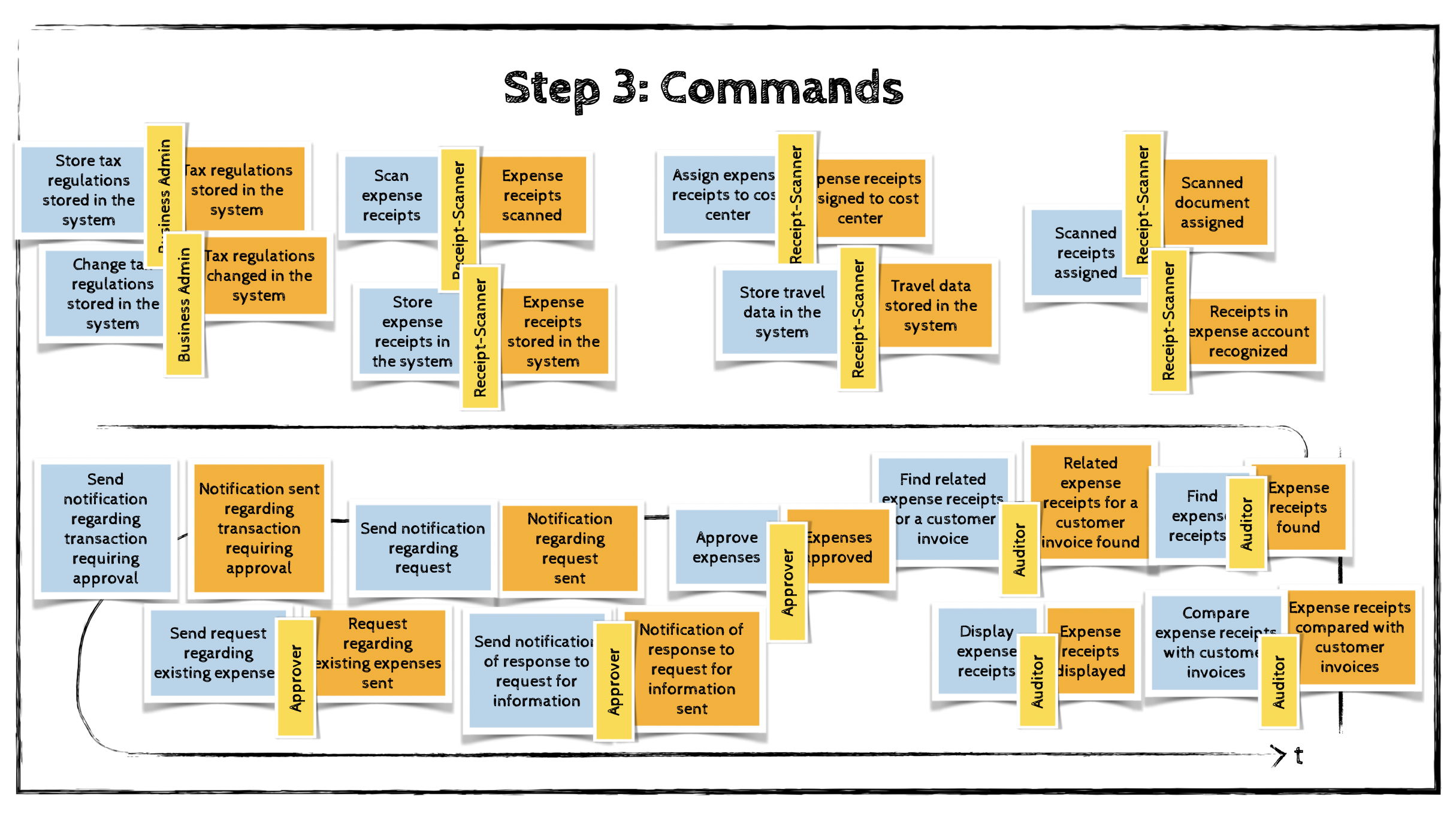
Step 3: Commands
While a domain event describes something that has happened, a command describes what triggers that event or event sequence. Commands represent system operations and are written in the imperative form.
Commands are placed on light-blue stickies and positioned before the events they cause.
If a command is executed by an actor in a specific role, this actor information is added using a small yellow sticky note.
In the “Big Spender” example, the process description is not extremely detailed, so I ended up identifying a corresponding command for almost every event. In real-world systems, it is more common for a single command to result in multiple domain events.
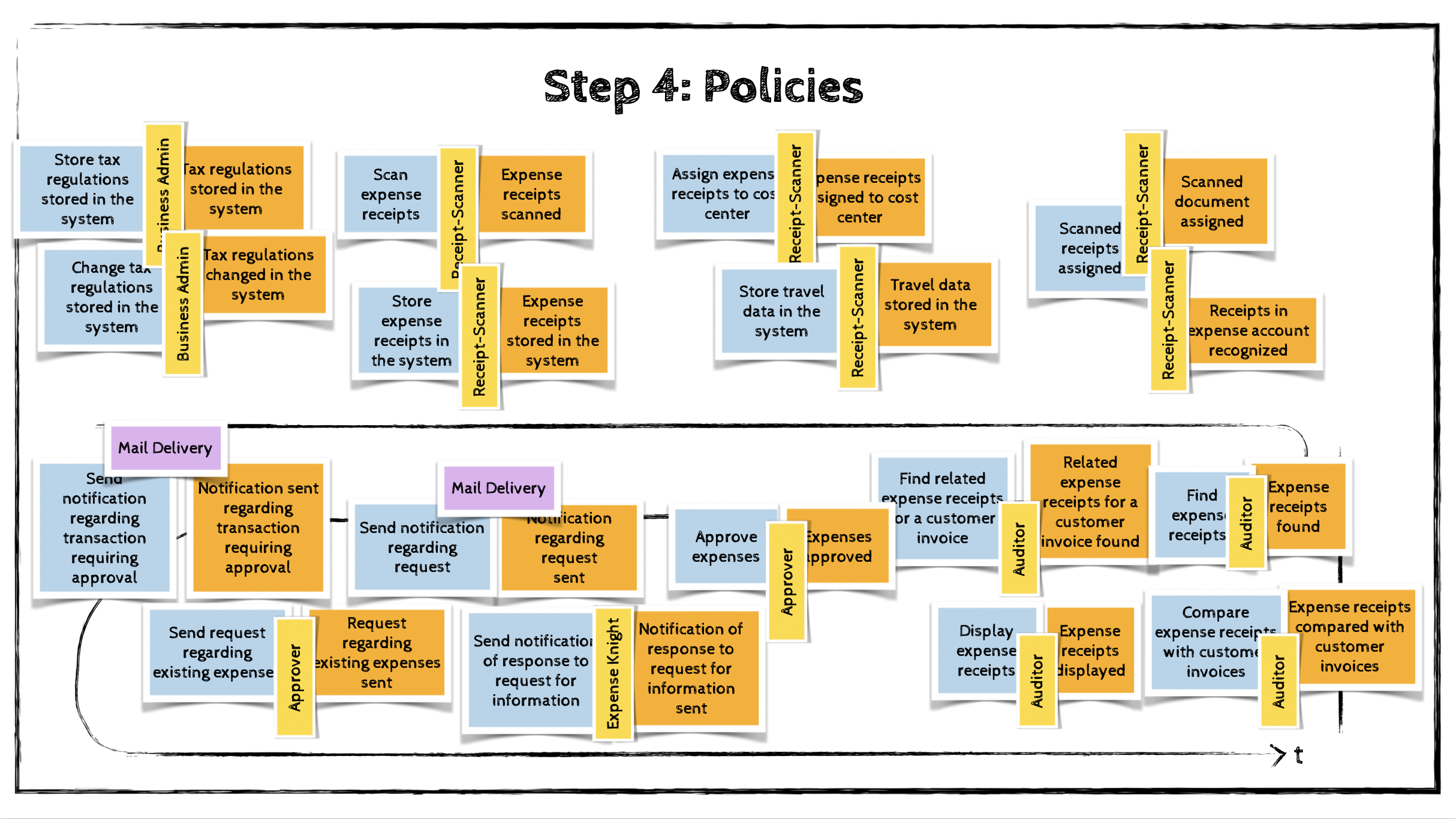
Step 4: Policies
Often, certain commands appear in the model that are not initiated by a human actor. In this step, we look for automation policies that could trigger these commands.
A policy describes a situation in which the occurrence of a domain event automatically triggers a command. In other words, the command is executed because a specific event has happened.
Policies are represented using purple stickies that connect events to commands on the modeling board.
Step 5: External Systems
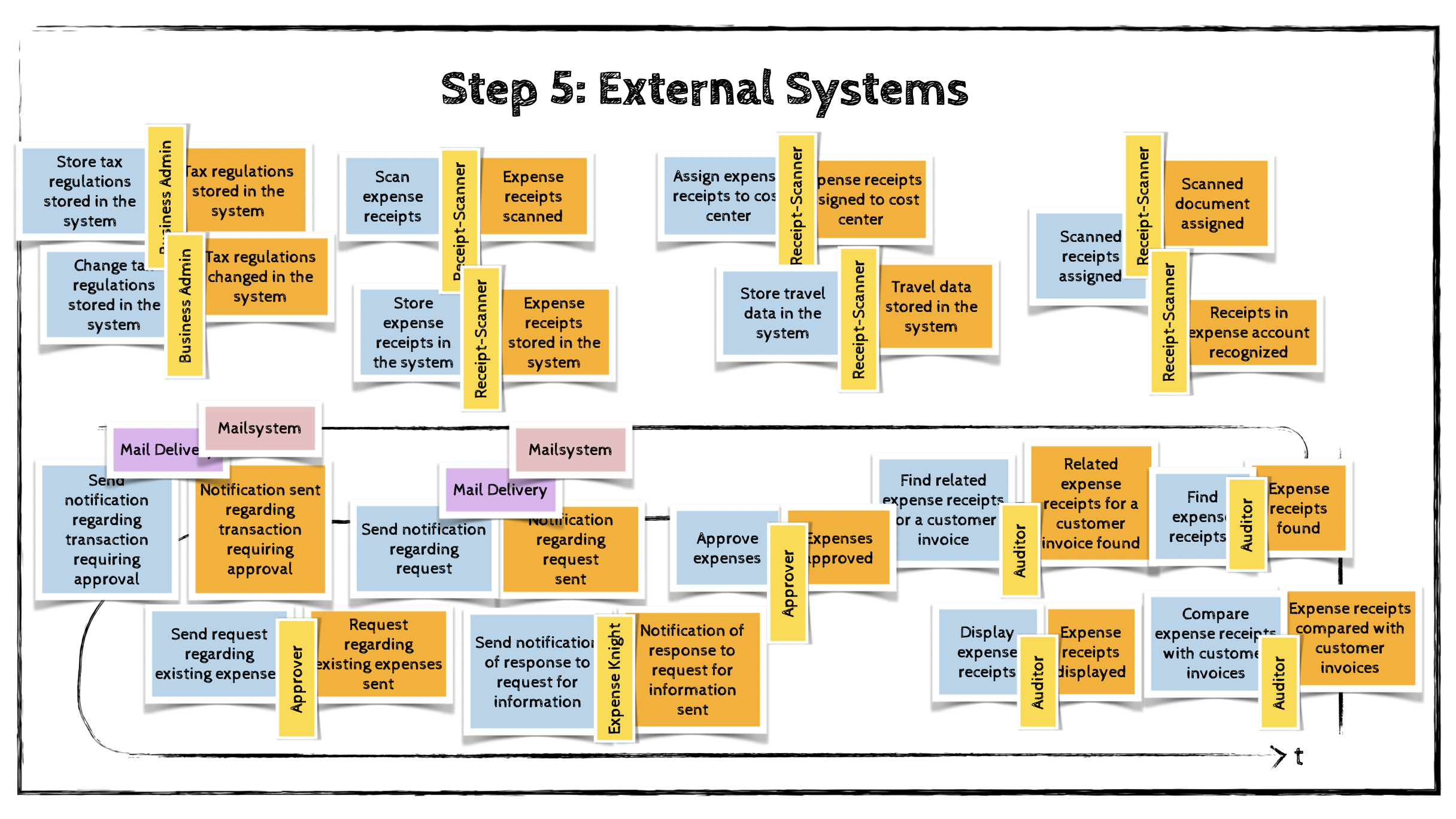
The fifth step involves identifying external systems and adding them to the model.
An external system is any system that lies outside the domain we are modeling. It may send commands to the domain (input) or be informed about certain domain events (output).
External systems are represented using pink stickies.
Step 6: Aggregates
Once all events and commands have been mapped, participants can begin grouping related concepts into aggregates.
An aggregate receives commands and produces domain events.
Aggregates are represented as large yellow stickies, with commands placed on the left side and events on the right side.

Step 7: Bounded Contexts
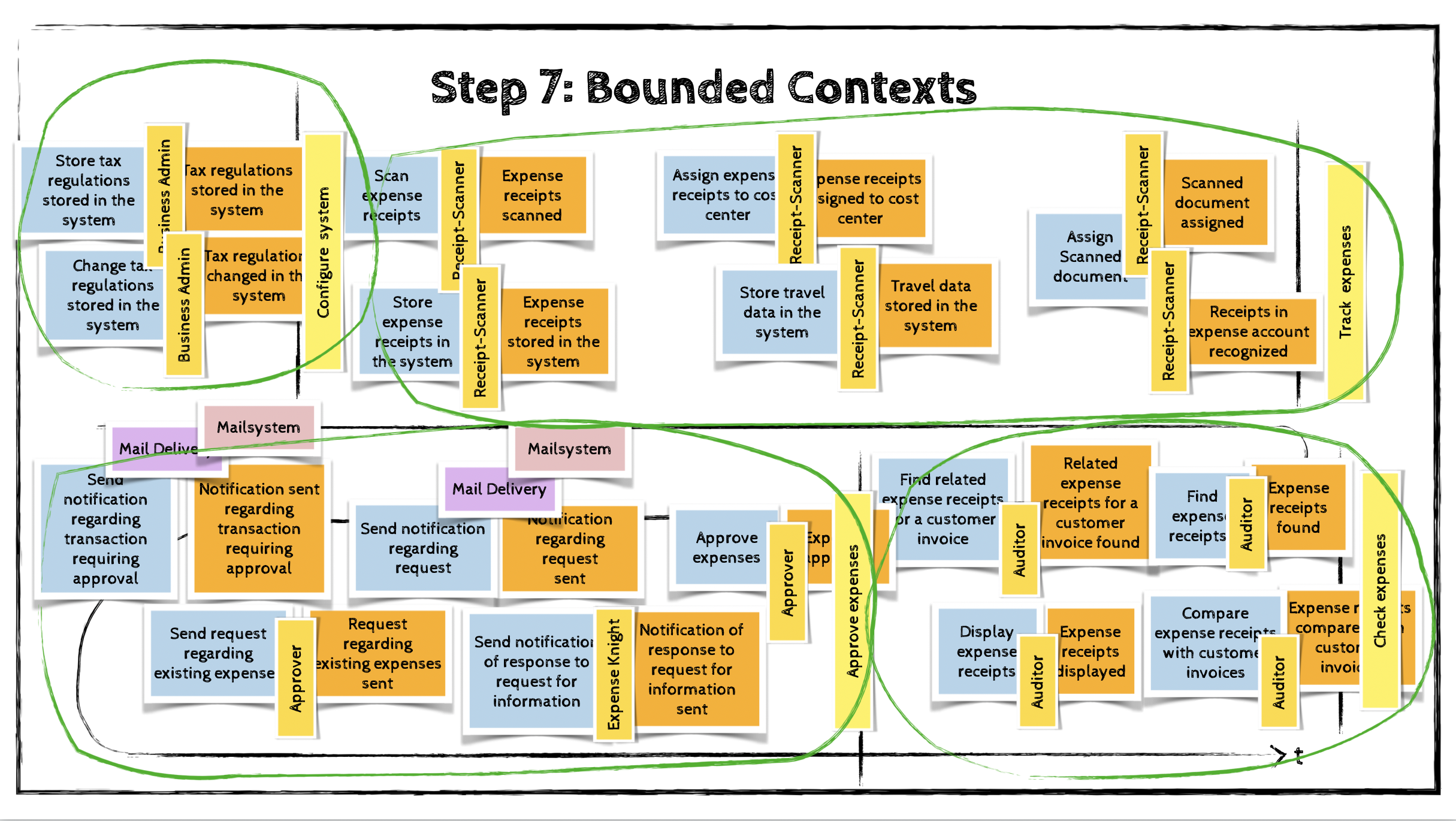
The final step in an EventStorming session is to identify aggregates that are closely related—either because they provide similar or complementary functionality, or because they are coupled through policies.
These clusters of aggregates form natural candidates for bounded contexts and help define the domain’s modular boundaries.
EventStorming has proven highly effective in real-life scenarios because it quickly creates a shared understanding of complex domains by bringing together domain experts, developers, and architects in a collaborative, visual process.